
Audit Log
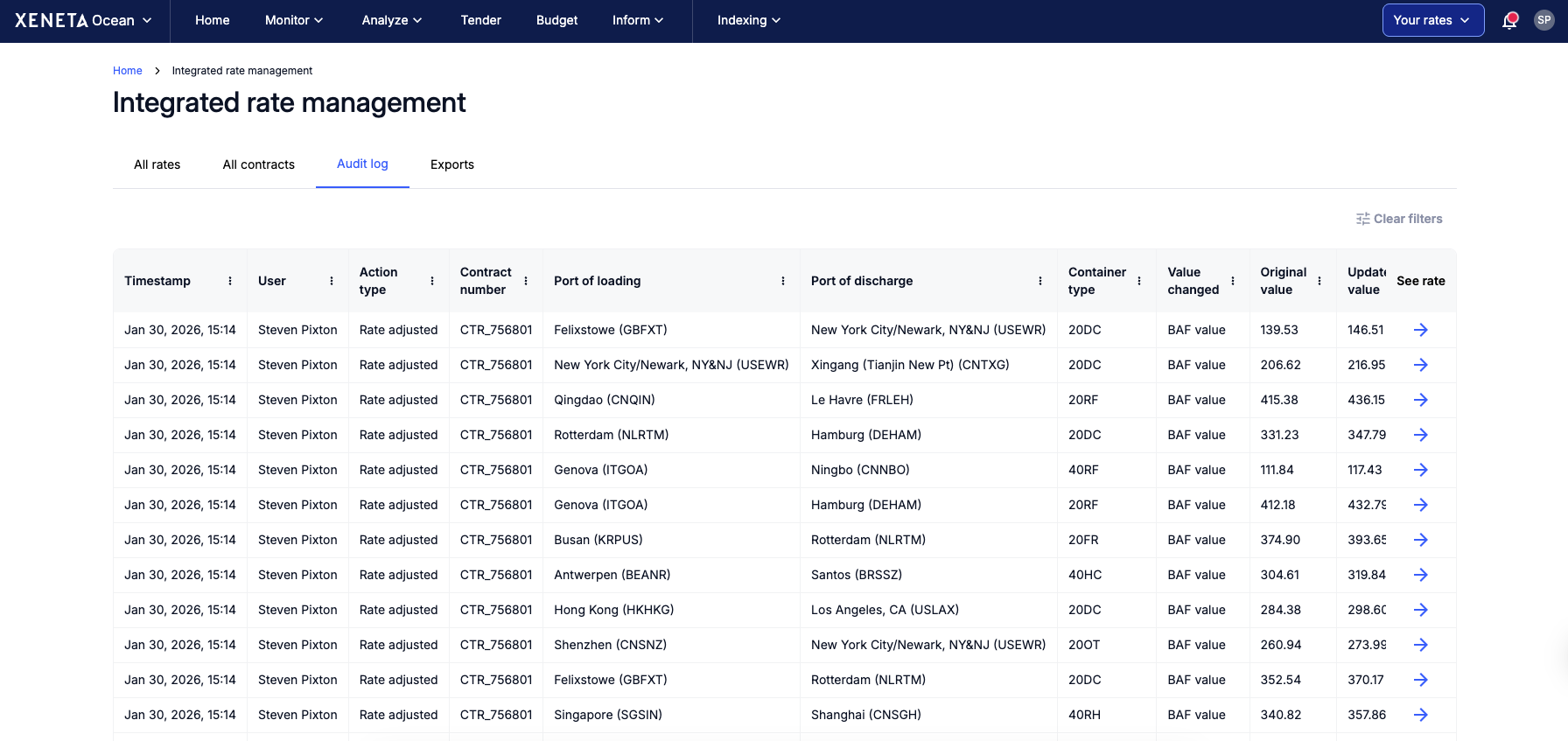
The Audit Log records every change to your rate data, showing who made the update, when it was made, and what was changed.
It provides a side-by-side comparison of the original and updated values for easy review, ensuring transparency, accountability, and a reliable history of rate data.
Two types of events are recorded:
Rate uploaded — a new rate has been uploaded to the system
Rate adjusted — an existing rate value has been modified
Both manual changes and automated updates (e.g. index-linked contract updates) are logged. Each log entry includes the timestamp, the user who made the change, and the action type. To help you identify the rate, the contract number, port of loading, port of discharge, and container type are also displayed. For rate adjustments, the specific field that was changed is shown alongside the original and updated values.
You can click through on any entry to view the full rate record.
Updated about 2 months ago