
Rates
Rates gives you a complete overview of all your rates in one place.
This is your starting point: from here, you can drill down into tables for deeper exploration, open individual rate details, or make adjustments directly.
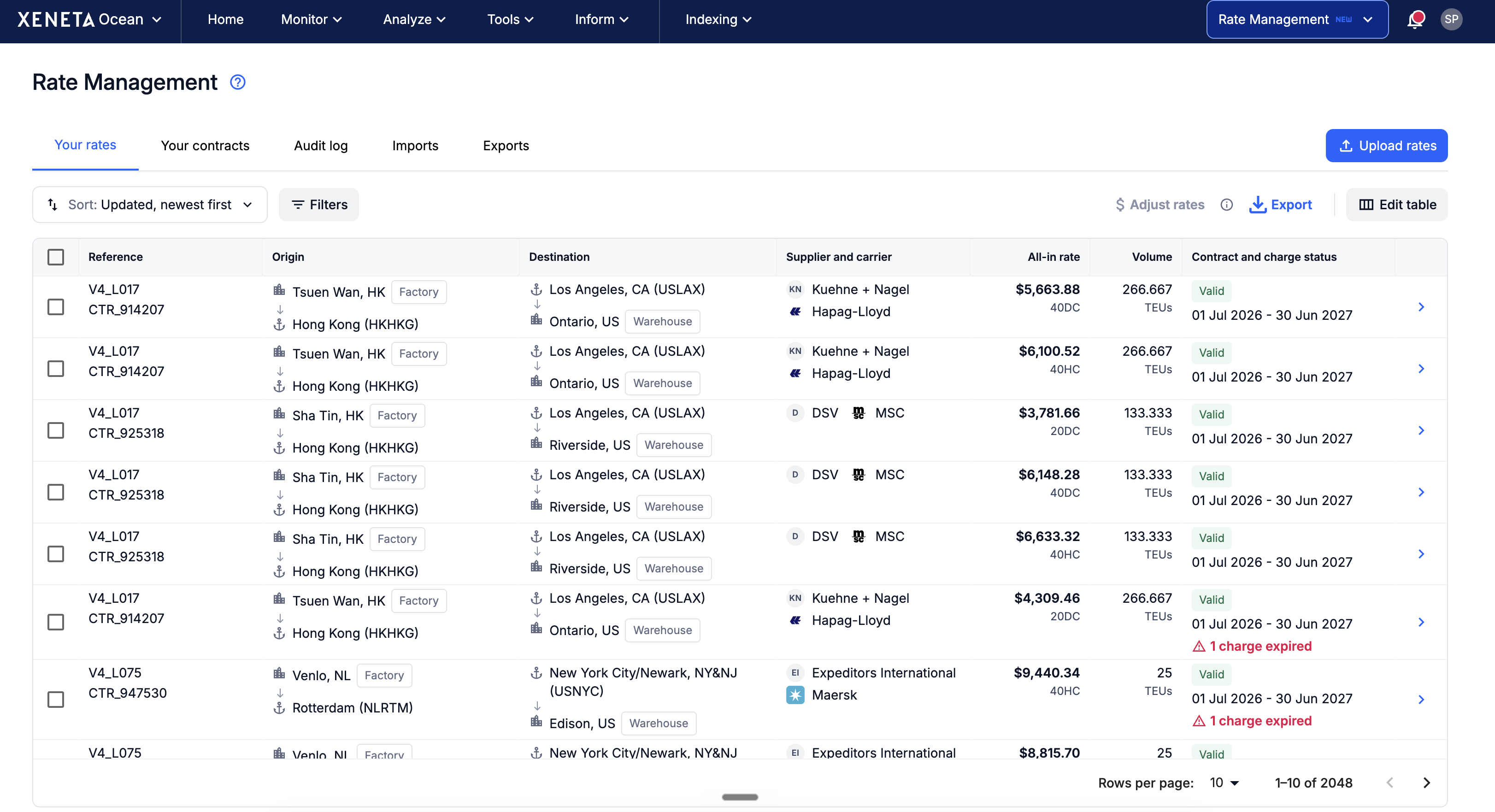
Only columns that were completed in your uploaded rate sheet are visible. Empty columns are automatically hidden to keep the interface clean and relevant to your specific data.
Filters
Every filter sits in a single toolbar above the table, so there's no need to look for them in the column headings. As well as ports, you can filter by city, which is useful if you ship door-to-door.
All filters support multi-select.
Important to know: the filters use non-dynamic filtering, which means the filters work independently - options don't change based on other filters.
Status
Each rate has a single Status column. It shows whether the contract is pending, valid, expiring or expired, the contract dates, and any charge that has expired.
The full journey
Each rate shows its full journey, not just the ports: the cities and any inland legs at the origin and destination are shown too.
The table is designed to fit your screen. Controls take a single line and related data is combined into shared columns, so more rates are visible at once and you rarely need to scroll sideways.
Column selection
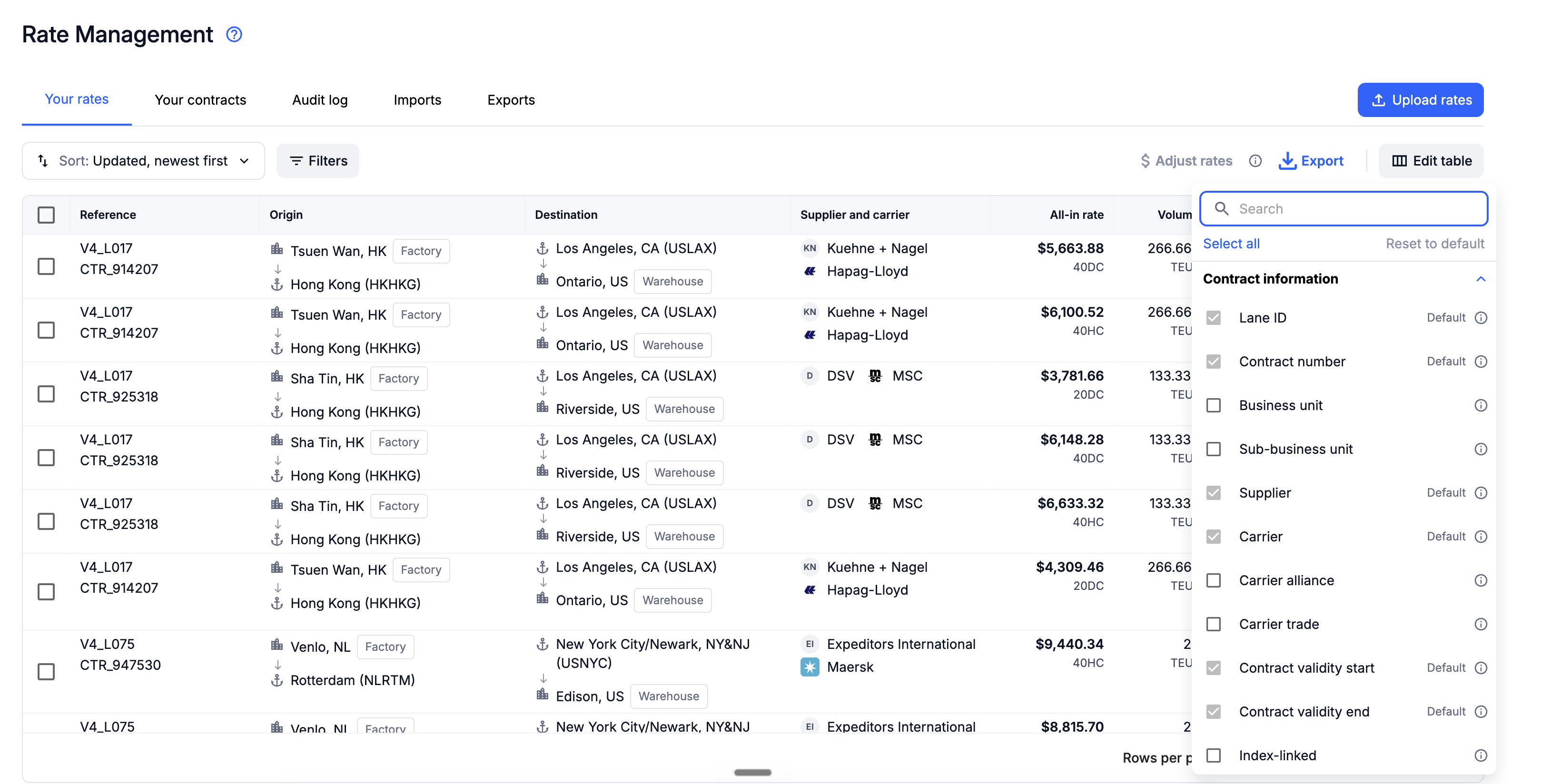
Click the Edit table to choose exactly which columns to display. Your selection is saved automatically for your next session.
Adjusting rates
Eliminate time-consuming manual spreadsheet updates with the Rate Adjustment tool.
Simply select the rates you wish to adjust and click '$ Adjust rates'.
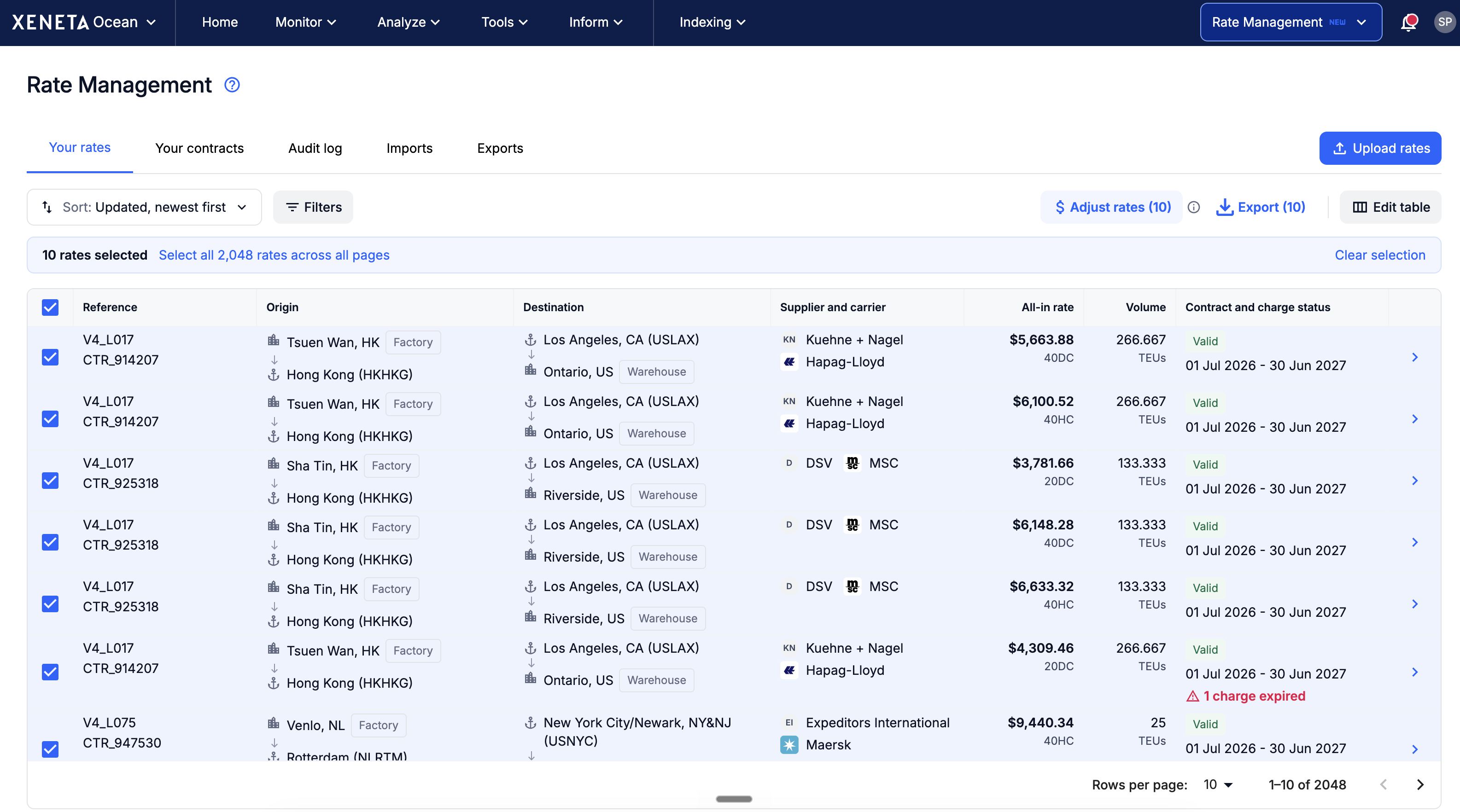
This tool also supports local currencies, giving you flexibility and transparency when managing charges.
You can then update charges - increase, decrease, add, or remove - by either a fixed amount (e.g. $150) or a percentage (e.g. 8% BAF increase) in just a few clicks. To keep a charge at the same value for longer, choose Extend and set a new end date.
This avoids complex formulas, reduces the risk of errors, and ensures updates are reflected immediately.
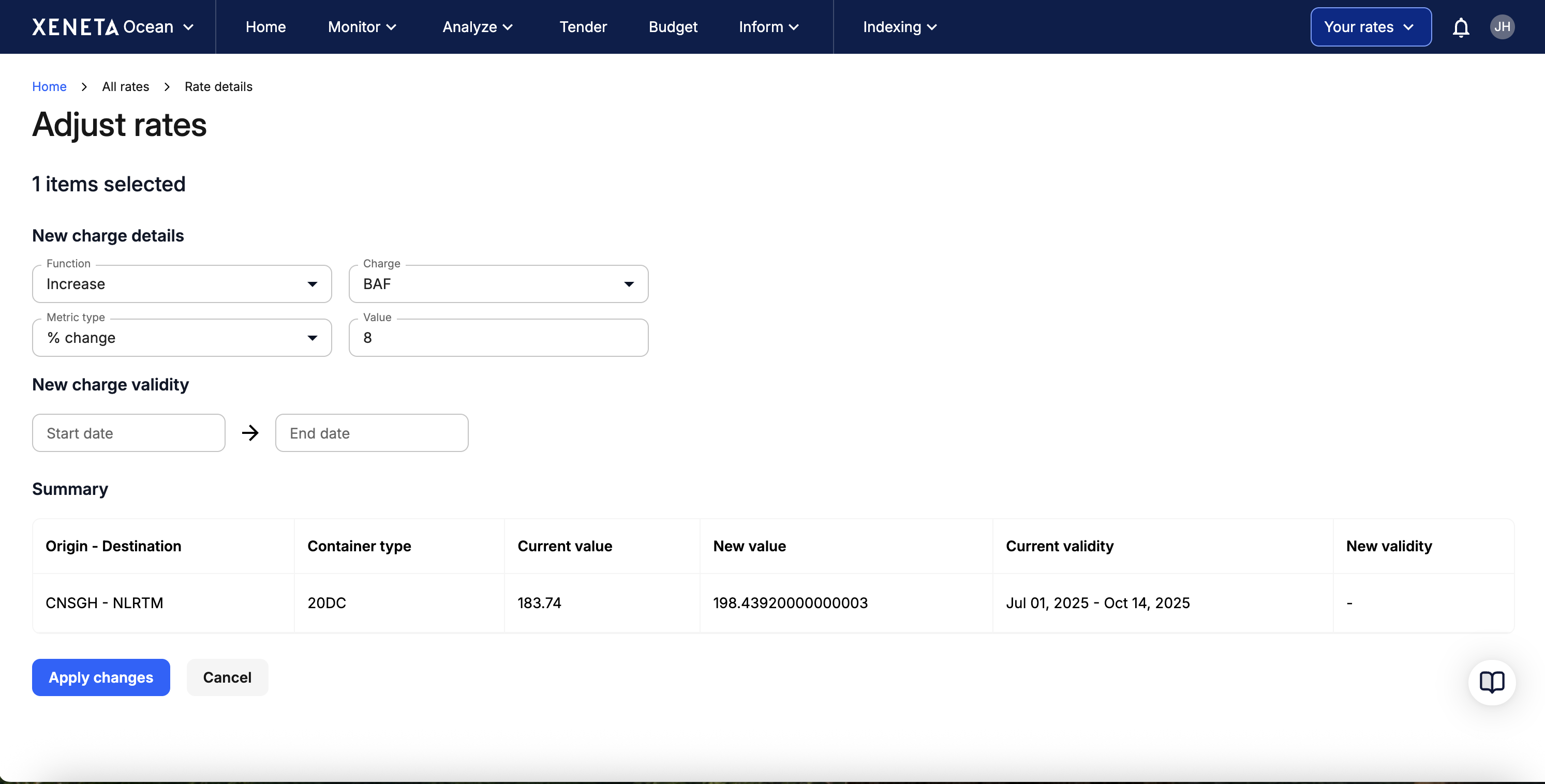
If you would like to learn more, please see our detailed step-by-step guide on how to adjust your rates.
Updated 29 days ago